Meta Pixel checker for Chrome
Every pixel event, passed or failed
Open the side panel on your own site and each Meta Pixel event gets a clear verdict, a plain reason and a short fix. Then build new events with a click and see what lifts your match quality.
- No account
- Nothing leaves your browser
- 17 languages
How it works
- 1
Open the side panel
Click the toolbar icon on your website. The panel starts watching the pixel from the moment the page loads.
- 2
Browse like a visitor
View a product, add it to the cart and check out. Every event appears with its own parameters and a pass or fail.
- 3
Fix and confirm
Open "How to fix" on a failed event, change your setup and reload. The verdict updates as soon as the event fires again.
Three tabs, one job
Getting your Meta Pixel events right, without digging through network requests.
Check
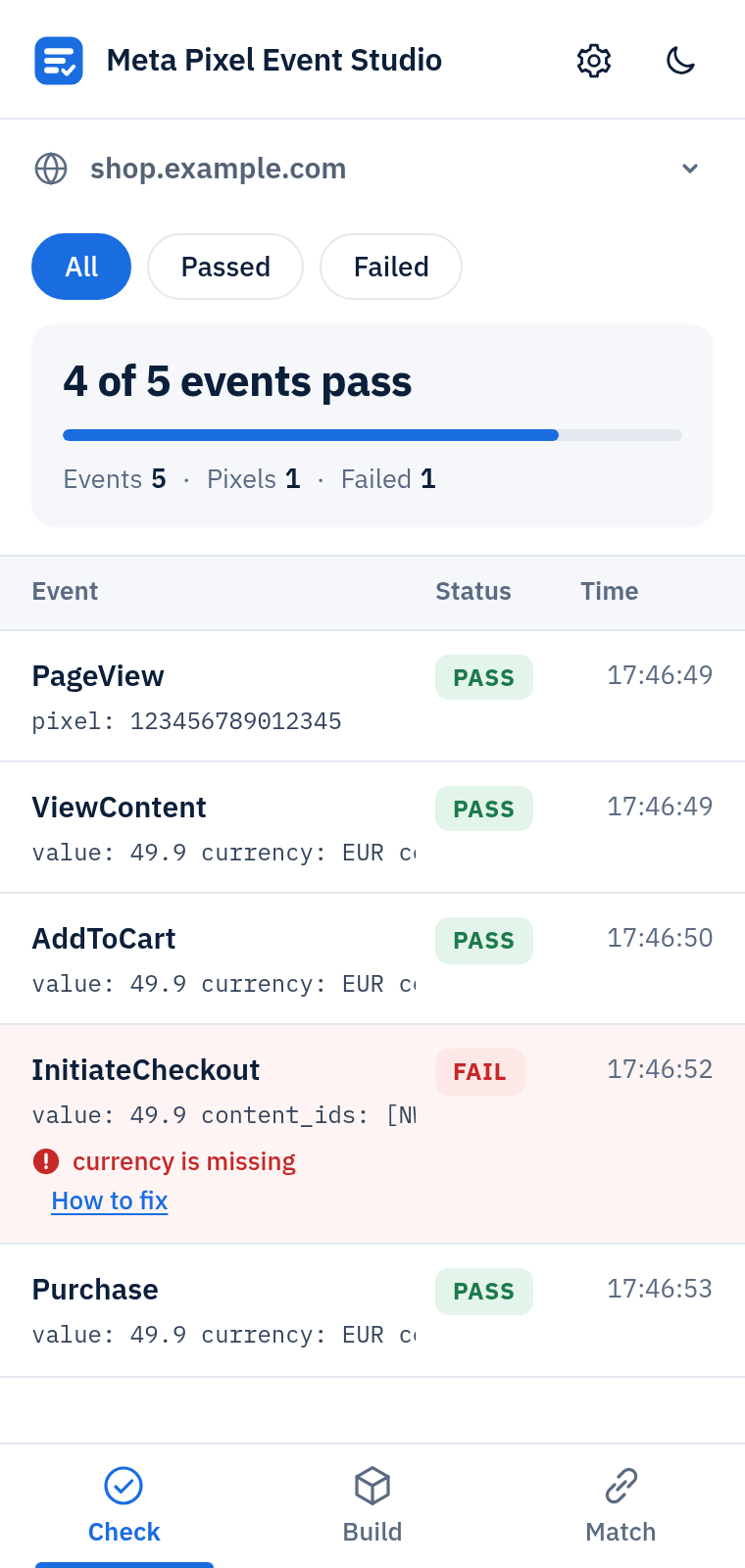
A verdict for every event
Purchases without a value, invalid currency codes, missing product IDs, typos in parameter names, duplicates within two seconds, reused event IDs and personal data in parameters are all caught and explained.
- Each event shows exactly what was sent
- In-app page changes grouped by page
- Export to JSON or CSV
Build
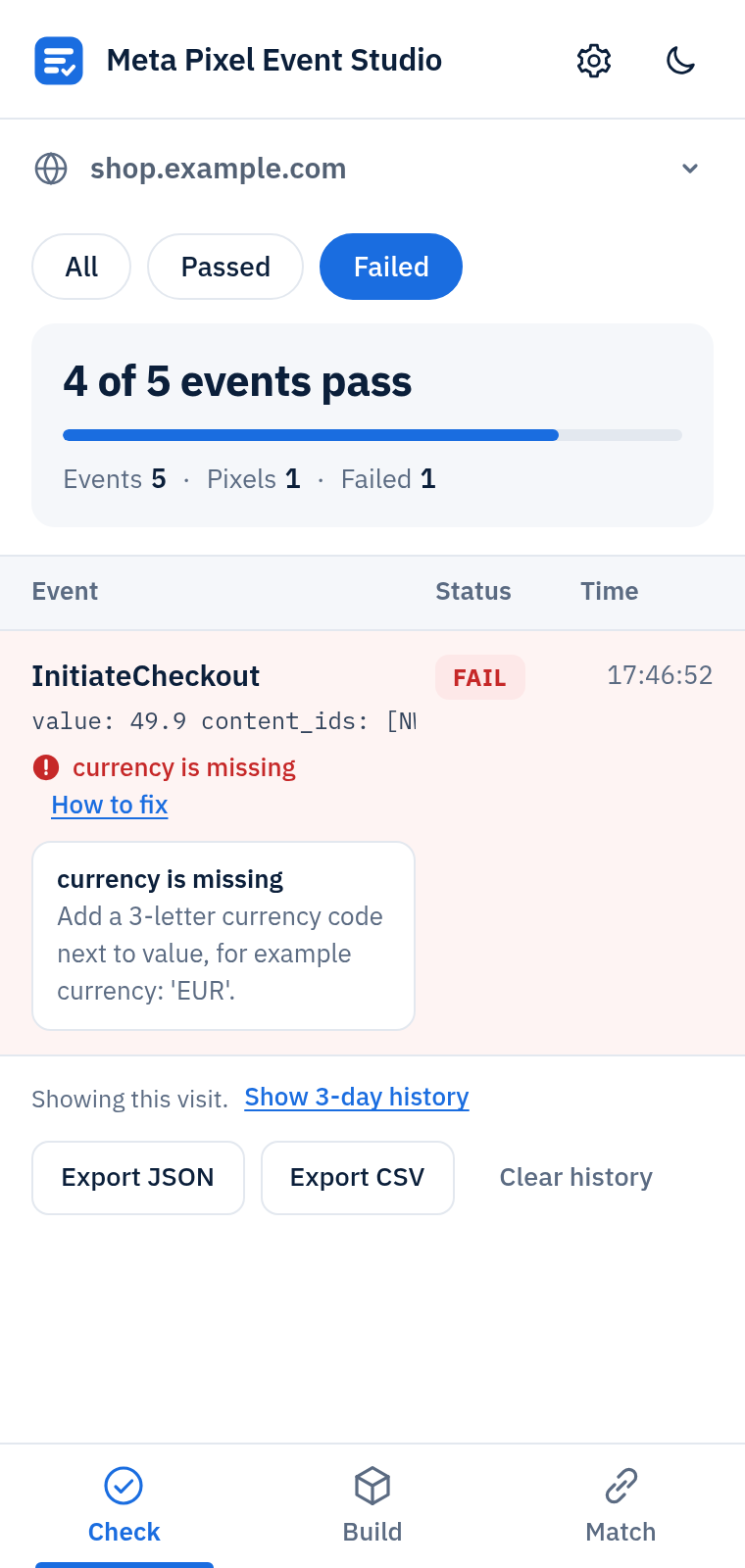
Click a button, get the code
Pick a button or a form on your page, choose the event and fill in the suggested parameters. You can even read the price straight from the page. Copy site code or a tag manager version with steps.
- Stable selectors worked out for you
- Saved setups get a badge when they fire
- Preview that never sends anything to Meta
Match
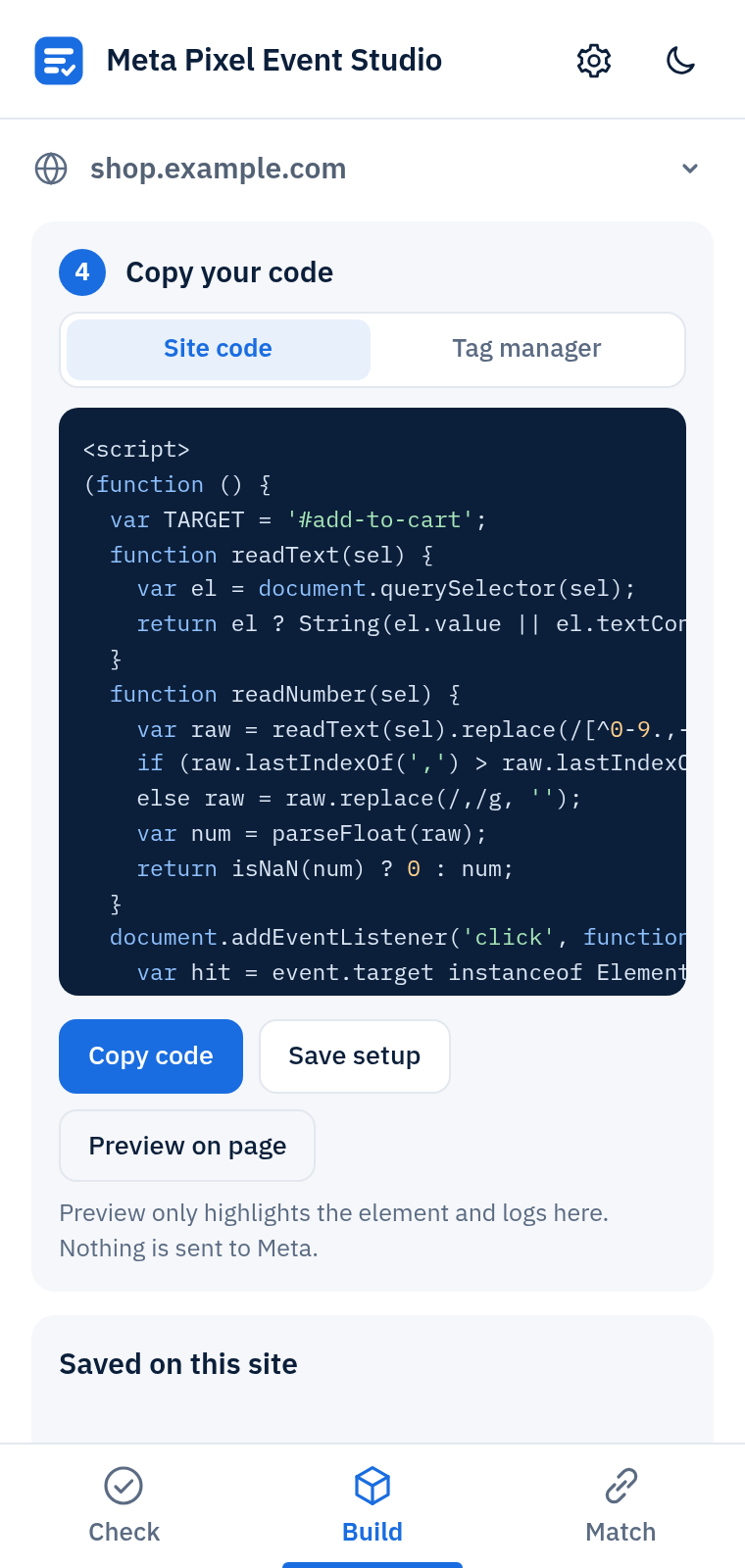
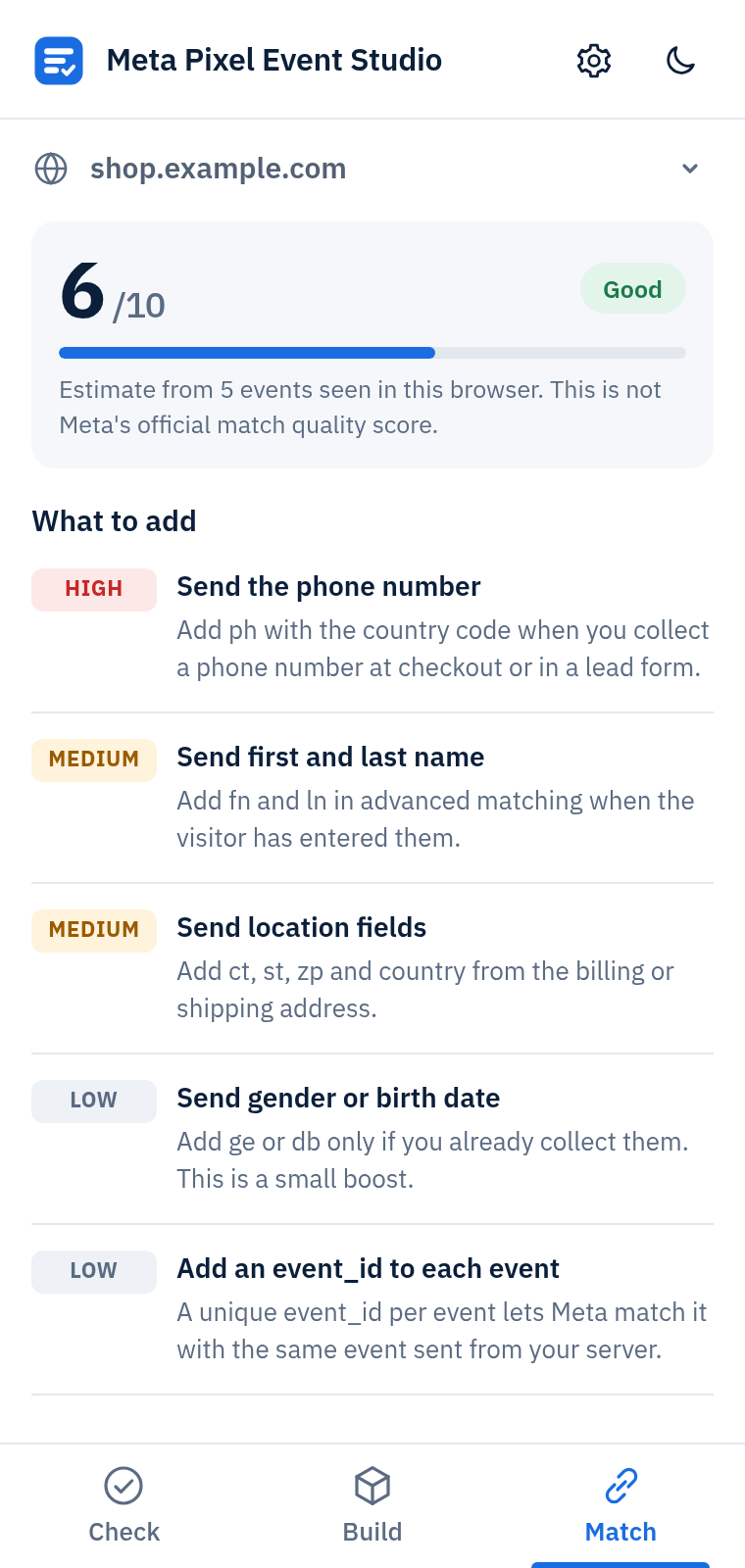
See what lifts your match quality
An estimated score from 0 to 10 based on the signals your events carry, with a ranked list of what to add next. It is clearly labeled as an estimate, not Meta's official score.
- High, medium and low impact fixes
- Plain instructions for each item
- Customer values are never stored
Private by design
The extension works entirely in your browser. There is no server, no account and no analytics.
Kept for 3 days
Captured events are stored on your device and deleted automatically after 3 days. Clear one site or everything at any time.
No customer data
Customer fields are reduced to their names and whether they were hashed. Emails and phone numbers are removed before anything is stored.
Honest limits
The panel sees what your browser sends. It cannot confirm server-side Conversions API delivery.
Questions
How do I check if my Meta Pixel is working?
Open your site, click the extension icon to open the side panel and browse as a visitor would. Each event appears with a pass or fail verdict and the parameters it sent.
Why does my Purchase event fail?
The most common causes are a missing value, a missing or invalid currency and missing product IDs. Open "How to fix" on the event to see the exact cause.
Can I add an event to a button without editing my theme?
Yes. In the Build tab, pick the button, choose the event and paste the tag manager version into a Custom HTML tag.
Is the match score the same as Meta's?
No. It is an estimate based on what this browser can see in your events. Use it to decide what to add next.
Does it work in dark mode and in my language?
It follows your system theme with a manual switch, and the interface is available in 17 languages, including right-to-left Arabic.
Is it made by Meta?
No. Meta Pixel Event Studio is an independent tool and is not affiliated with Meta Platforms, Inc.